Case Study · Zoom
Building AI escalation and proactive monitoring for Zoom Contact Center
Designed AI-powered escalation and proactive monitoring workflows for supervisors in Zoom Contact Center, improving visibility, prioritisation, and control at scale.

Overview

What is Zoom Contact Center
Zoom Contact Center is a CCaaS platform that helps enterprises manage customer interactions across touchpoint.
In this ecosystem, agents handle customer conversations, while supervisors monitor live engagements, coach agents, and step in when service quality or customer experience is at risk.
Team & Role
Designer
1
Product
2
Engineer
6
Timeline
6 weeks, 2026
Project Context
As conversation volume grew, manual and fragmented workflows made contact center operations increasingly complex and time-consuming.
This project aimed to help supervisors identify target engagements more efficiently and reliably, so they could act earlier across both human-agent and virtual-agent conversations.
I led the design end-to-end, from research and problem framing through to prototyping, validation, and implementation.
Problem Framing
From ambiguity to clear gaps
What started as a broad request became a focused design direction once research revealed the core supervision gaps and helped align the team.
User Research
User interviews

Interviewed users from 3 enterprise clients; collected feedback from internal user
Flow mapping
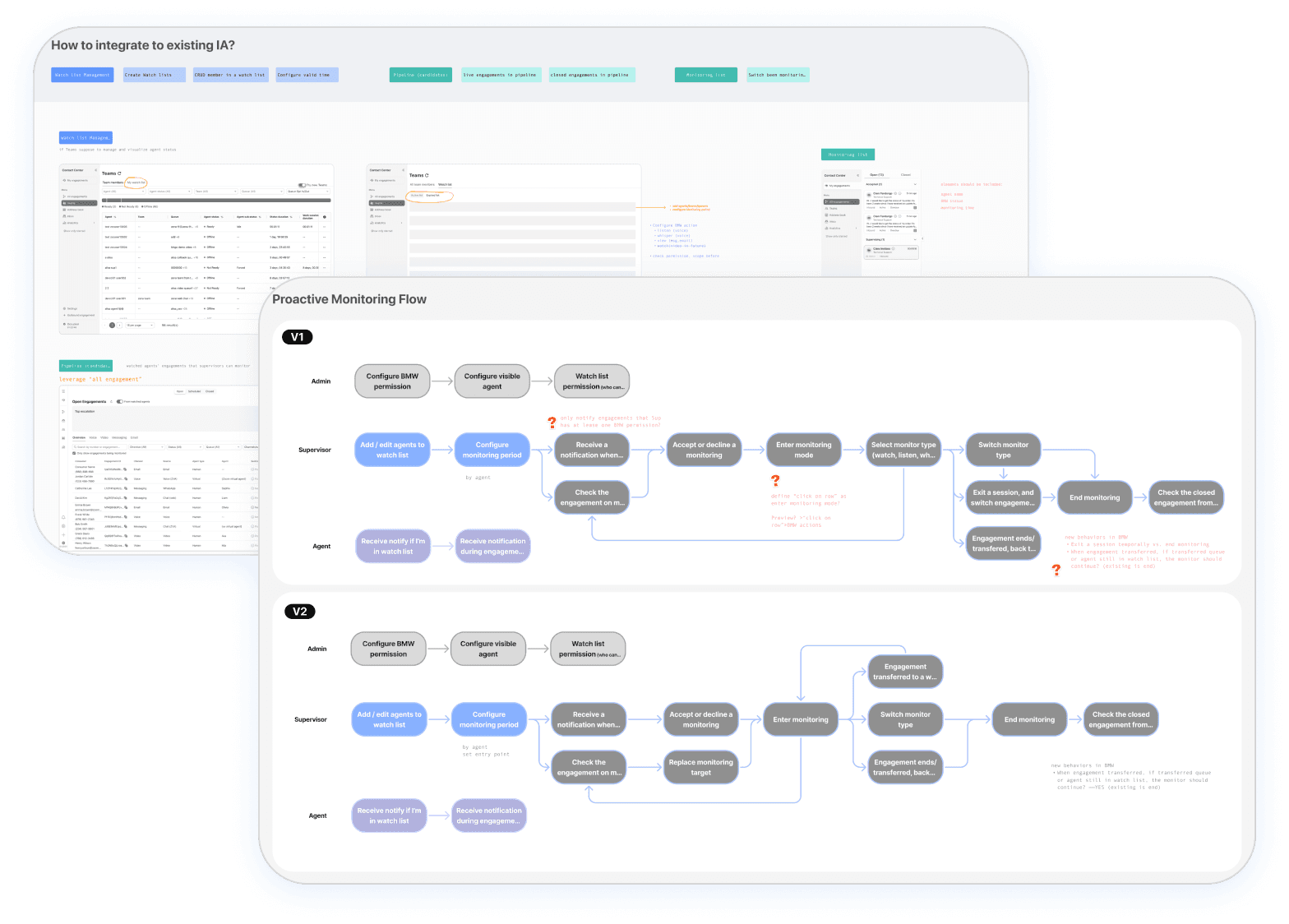
Mapped supervision workflows to identify friction points

Translated research findings into prioritised design opportunities

Competitive Analysis

Analysed how major platforms surface high-priority work in high-volume queues, comparing workflow patterns, signal design, and information architecture.
Insights
01
Volume without signal
Virtual agent volume grew quickly, but only sentiment could not surface conversations needing intervention.
02
Limited visibility over agent progress
Supervisors manually scanned full agent lists and missed key moments for new or low-performed agents.
Solutions
01. Make It INTELLIGENT & CUSTOMISABLE
Constraint
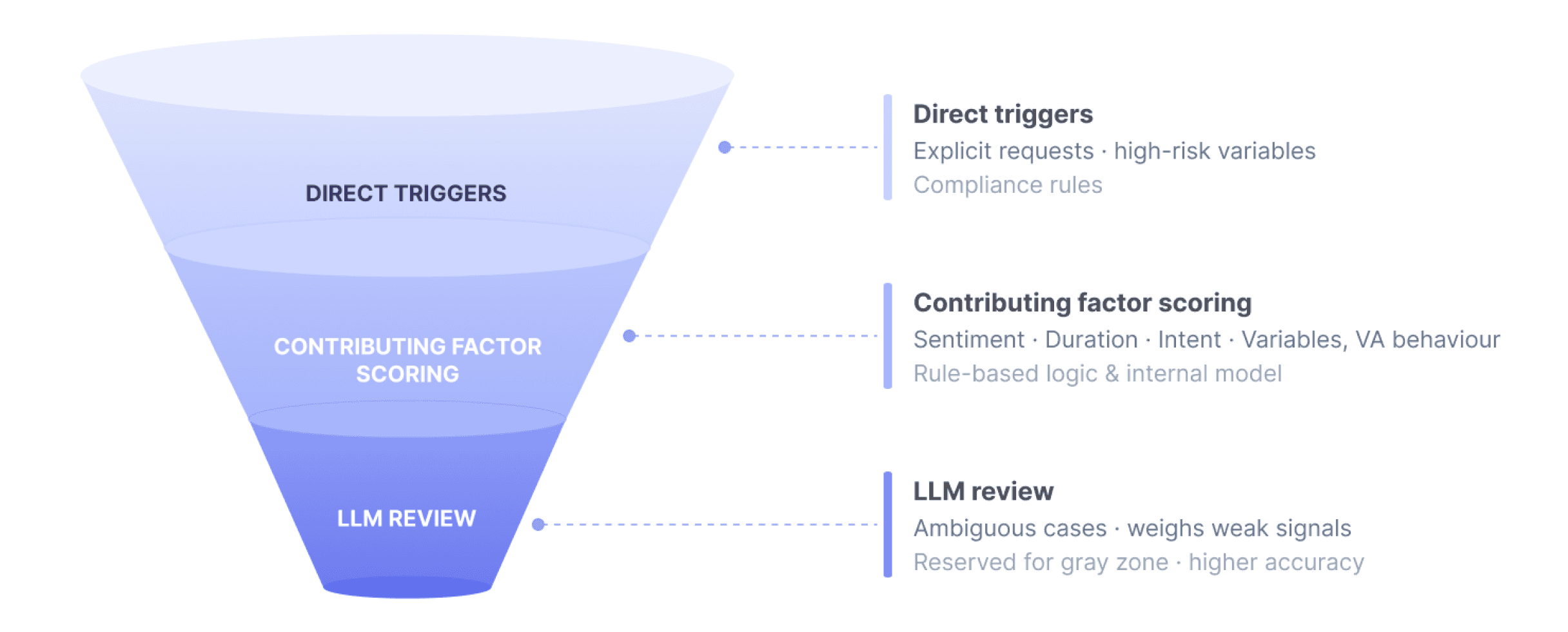
Running all VA engagements through an LLM was the obvious starting point. At VA volumes, the token cost wasn't commercially viable.
Solution
I designed a three-layer model to pre-classify engagements before any AI involvement. Only ambiguous cases reach LLM review. Around 60% are resolved before that point. Parts of contributing factors are configurable with inline guidance, so admins can choose to tune the model to their business context.

02. Make It EFFICIENT
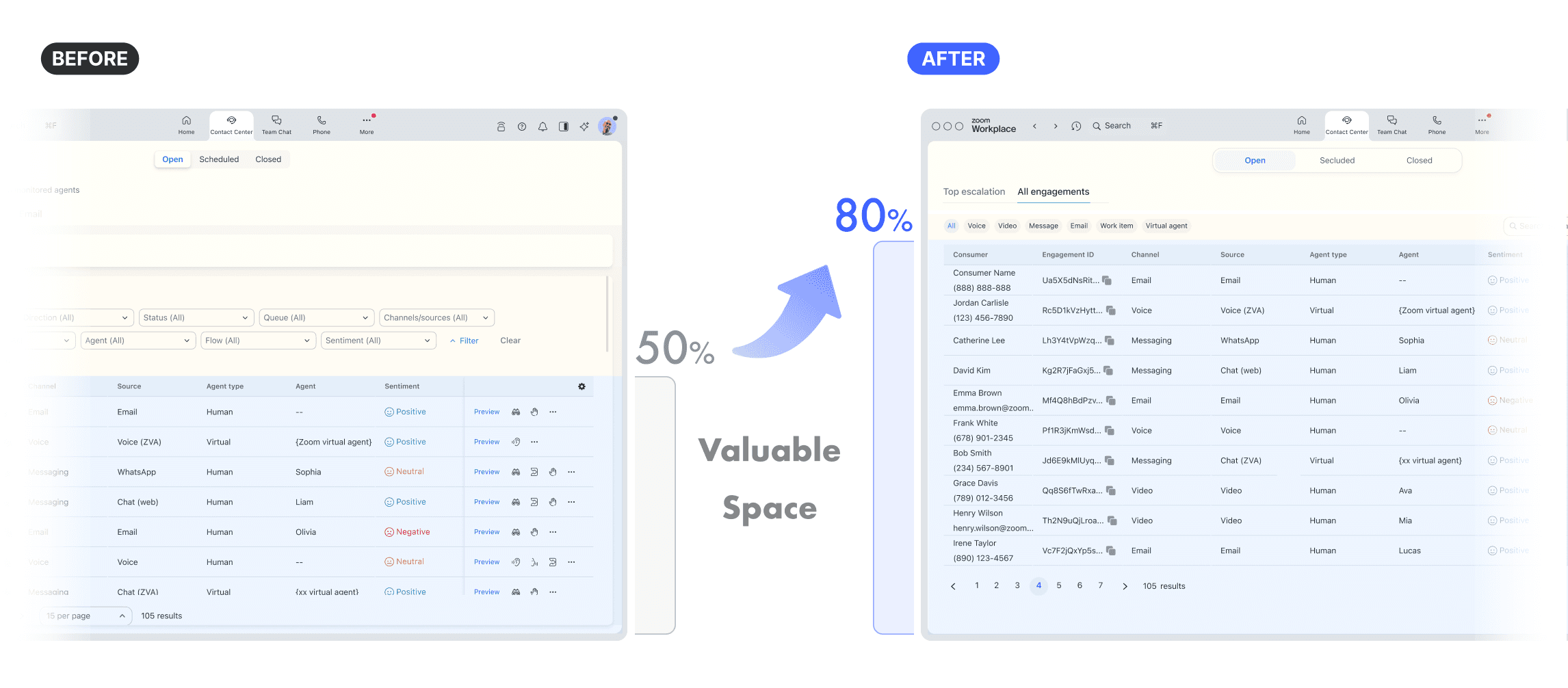
To reduce cognitive load and improve accessibility across both tasks, I split the view into two task-based tabs. Filters were reorganised by frequency — high-frequency ones surfaced as inline chips with clearer labels, low-frequency ones moved to a drawer.
03. Make It MAINTAINABLE
To simplify setup and avoid duplicating existing list management, I merged setup into the existing Teams list and reframed it as a lightweight, in-context action instead of a separate flow.
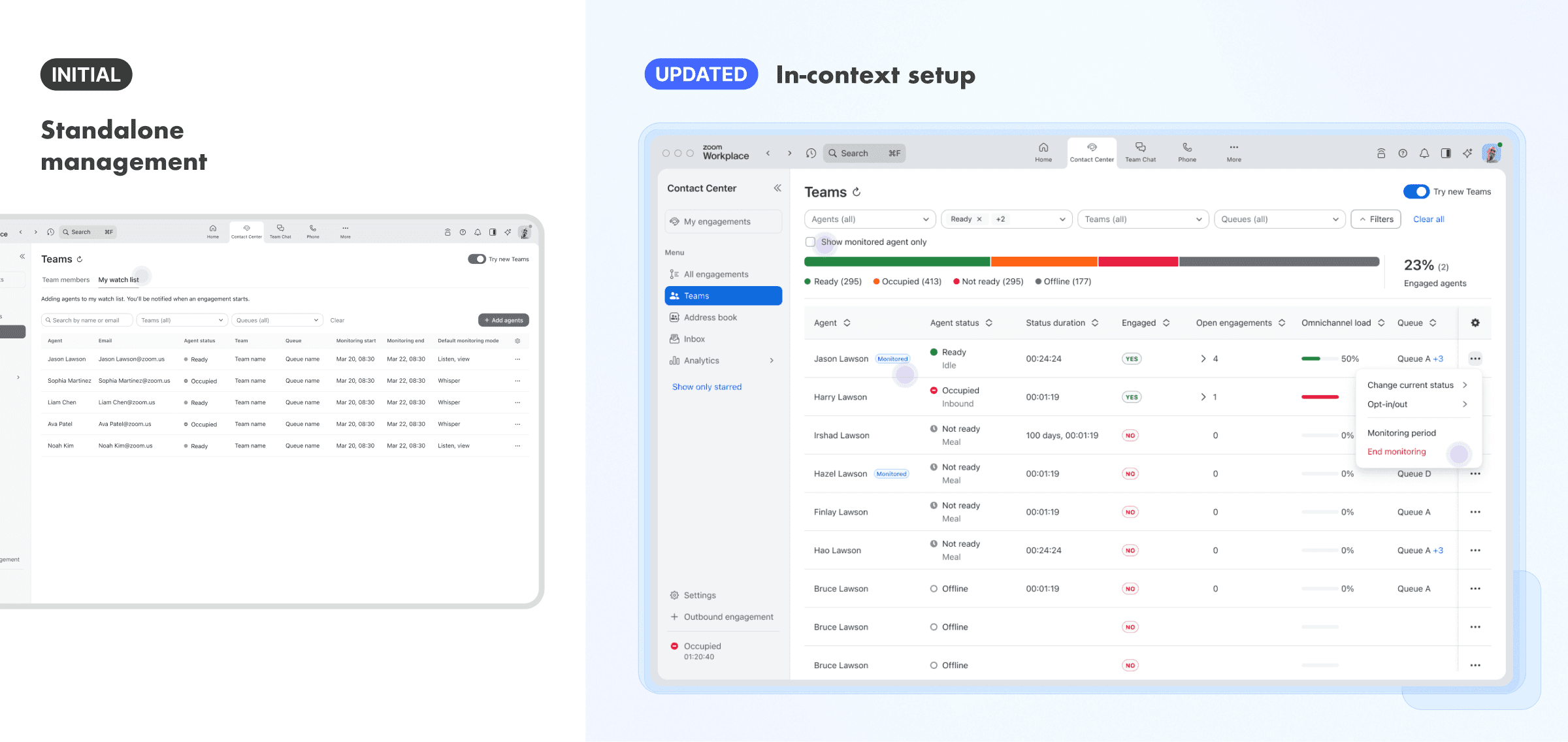
Showing a permission-aware summary of available actions and left the actual choice to the moment an engagement starts, reducing setup complexity and keeping the workflow resilient when permissions changed.

04. Make It TIMELY Yet SUBTLE
A monitored-agent alert needed to be time-sensitive without feeling intrusive. By evaluating the urgency and importance of the event, I designed it as a persistent top-right toast, keeping the alert visible and actionable while minimising disruption.


I created a scalable alert-to-action pattern for different monitoring scenarios, keeping alerts lightweight while giving supervisors a clear path to review context and act with confidence.
Outcomes
This work strengthened the supervisor monitoring experience, advanced the platform's AI capabilities. Expanded supervisor tooling in a way that aligned better with enterprise monitoring needs.
Faster Findability
Helped supervisors find target engagements 40% faster in usability testing.
Shorter Path
Reduced the key monitoring path from ~6 clicks to ~2, making the workflow 67% shorter.
Faster Escalation
Reduced time to human intervention for virtual-agent escalations by 38%
Reflections
Lessons
What I would do differently
Making escalation configuration feel real
Admins can tune the model but can't feel what their changes do. I'd increase visibility in future release.
More efficient proactive monitoring
I'd add scenario-based recommendations like new hires and low-performers, and priority tiers so supervisors always know which engagement to focus on first.
Trade-off
The cost of designing for flexibility
Granular permissions were built for flexibility, but made it harder to define consistent behaviour for this workflow. That pushed me to think beyond the immediate problem: whether a design stays manageable as the system around it changes.